.png)
You’ve got questions—like “How do I configure VPN on my Mac?” or “How do I order a mobile device?” But the answers might be spread across ServiceNow, Teams, or somewhere on the web. What you need is one search that delivers exactly what you’re looking for, not a scavenger hunt through dozens of systems. That’s where SWIRL AI Connect steps in. It pulls answers from multiple sources—without moving or copying data—so you get the right results instantly. That’s zero-copy search—the fastest, most seamless way to work with your content, wherever it lives.
No duplicate data. No new indexes. Just answers.
Connecting ServiceNow in SWIRL: A Real Example
Let’s look at how SWIRL connects to ServiceNow. Here’s the configuration for the ServiceNow Service Catalog SearchProvider:
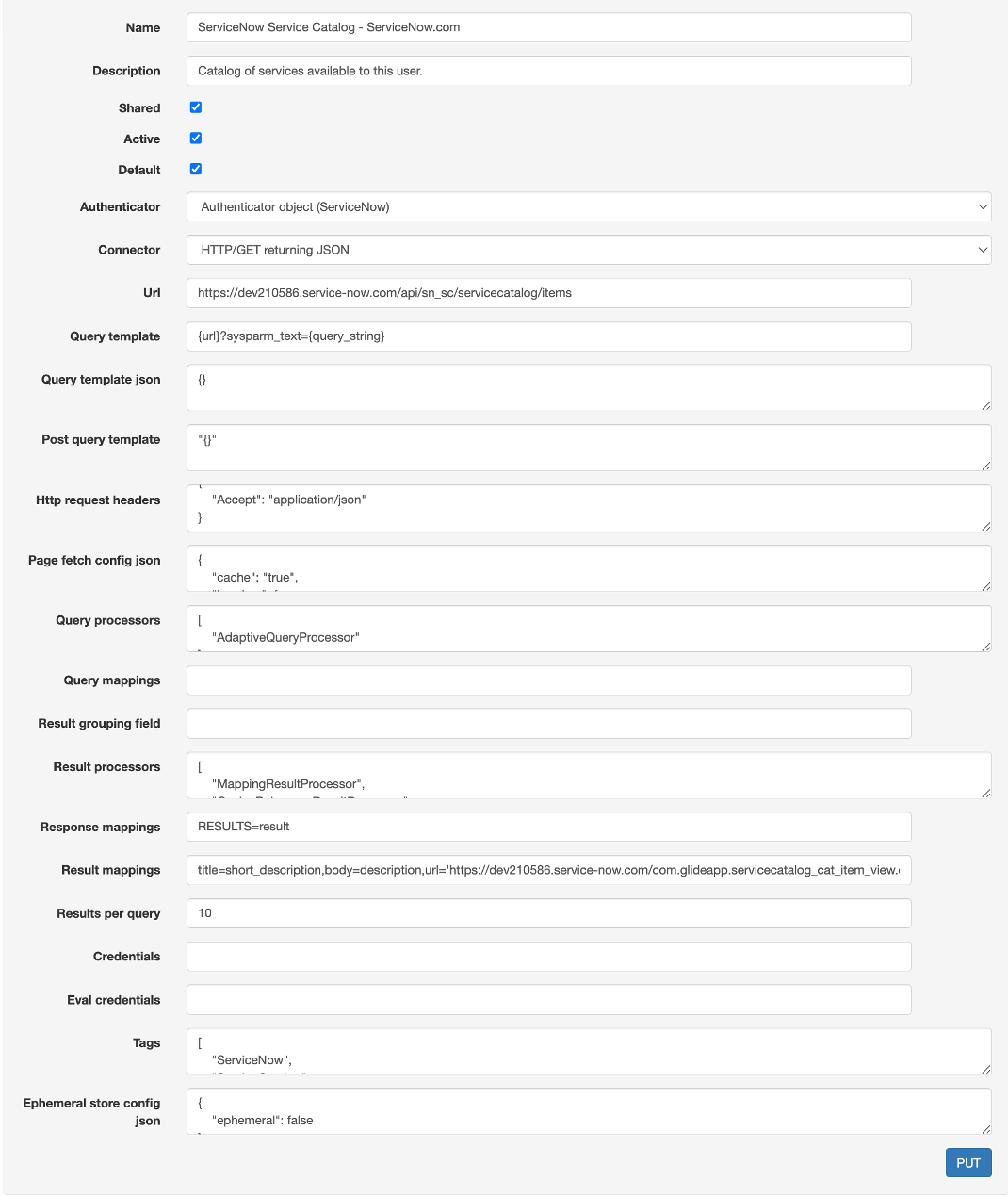
Simple, right? You provide the ServiceNow API URL, headers, and query templates, and you’re good to go. Whether it’s knowledge articles or service catalog items, SWIRL pulls them straight from ServiceNow—without creating extra copies or indexes.
Answering Real-World Questions—Fast
Here’s where it gets exciting. Imagine someone asks: “How do I configure VPN on my Mac?” If the answer is in ServiceNow, SWIRL will surface it immediately:
1. ServiceNow Service Catalog → “How to configure VPN on your Mac. View the article.”
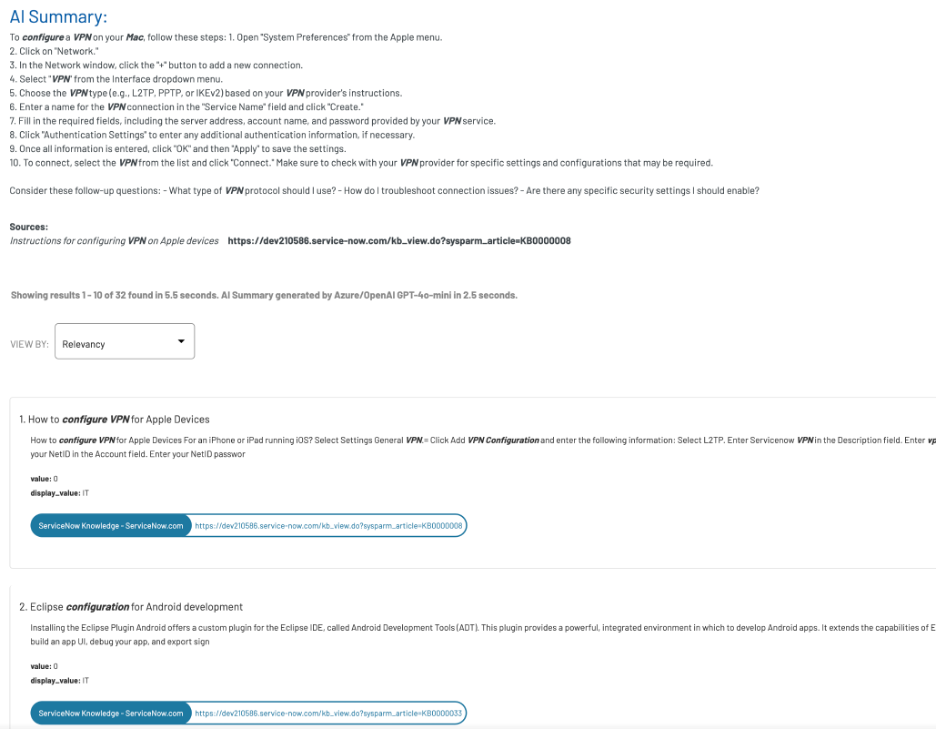
But what if the answer isn’t in ServiceNow? No problem—SWIRL pulls the right response from elsewhere. Let’s say the question is:
“How do I order a mobile device?”
2. Microsoft Teams Chat → “To order a mobile device, submit a request here.”
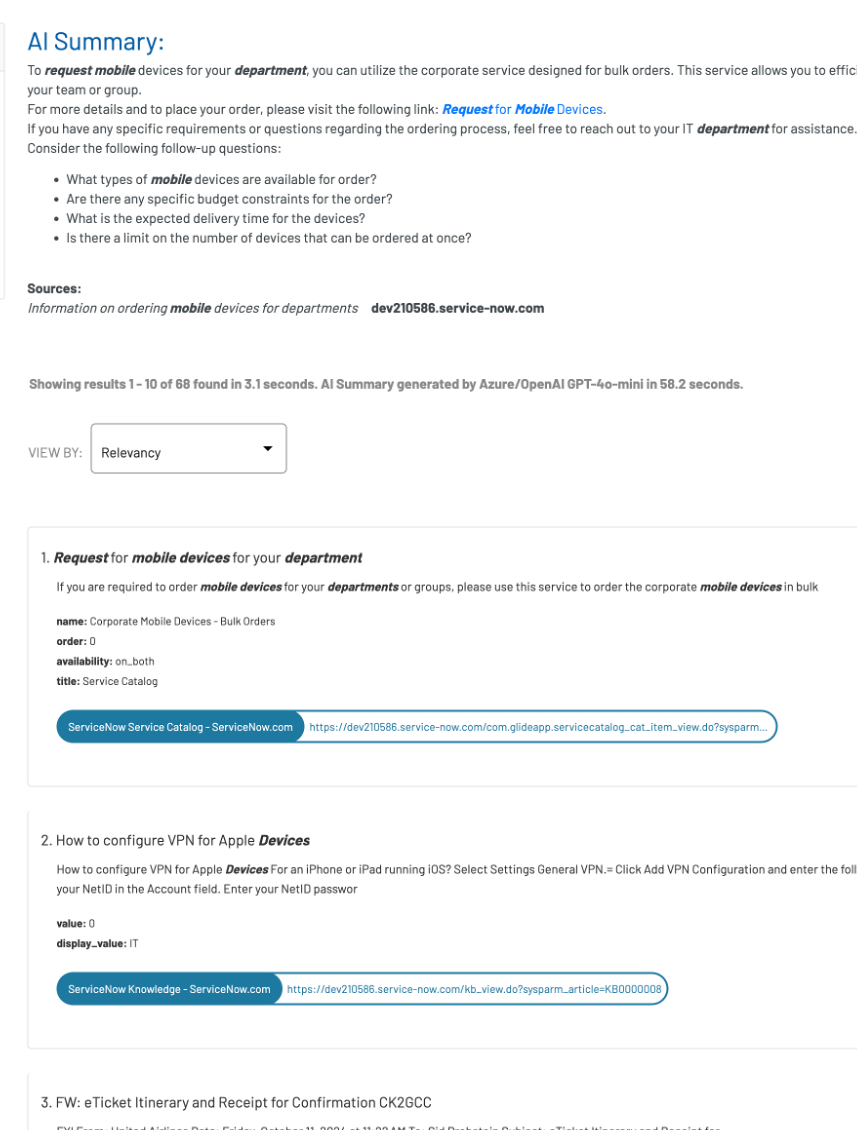
SWIRL re-ranks to find relevant answers from both ServiceNow and Teams, ranking them by what matters most. You get the answer in one place, no hunting required. In this case – the link to request the mobile device.
Clone It. Expand It. Own It.
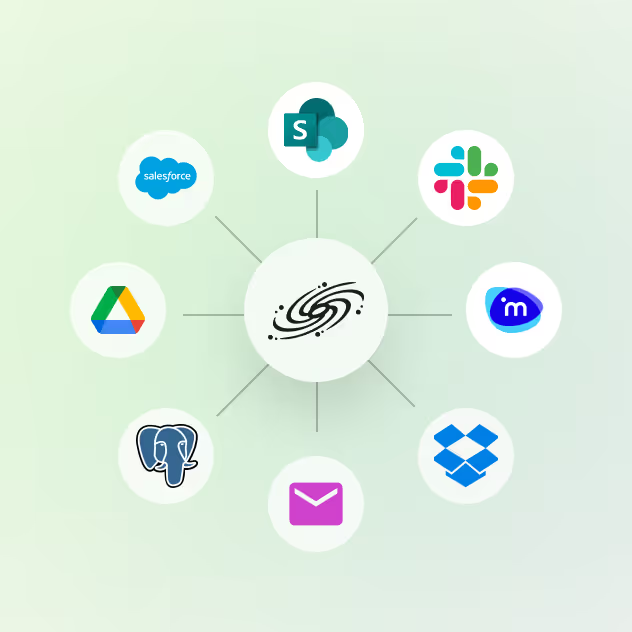
Got multiple ServiceNow instances? Clone the SearchProvider, and search them all simultaneously. And with SWIRL AI Connect, you’re not limited to ServiceNow. Connect to 100+ platforms (see the full list here)—file systems, CRMs, chat tools, and more.
Adding new systems takes just minutes. No duplicate databases, no complex setups. And with zero-copy search, your data stays exactly where it belongs—under your control.
SWIRL AI Co-Pilot: Make Search Smarter
Need better search precision? SWIRL AI Co-Pilot steps in to help. It recognizes when a query can be refined and suggests improvements in real time. For example, searching for “VPN” might prompt Co-Pilot to ask: “Do you mean VPN instructions for Mac or Windows?”
It’s smart, interactive, and eliminates guesswork. Got a vague question? Co-Pilot will disambiguate results on the fly, helping you zero in on the right information every time.
Stop Searching, Start Solving
Other solutions rely on indexing and duplication. Not SWIRL. With zero-copy search, everything stays exactly where it’s supposed to be—whether it’s in ServiceNow, Teams, or any other system.
- No duplicate data
- No new indexes
- Everything stays under your control
The result? Answers, not hunts. Whether you’re looking for service catalog items, knowledge articles, or chat-based instructions, SWIRL brings everything together—no scavenger hunt required.
Deploy SWIRL, connect your systems, and get back to work. No delays, no extra steps. Just the answers you need.
SWIRL: The Original Zero-Copy Solution. Connecting any AI or LLM to your data—100% under your control.